Biometric Time Attendance: Is It Easy to Manage
Author
Date Published
Reading Time
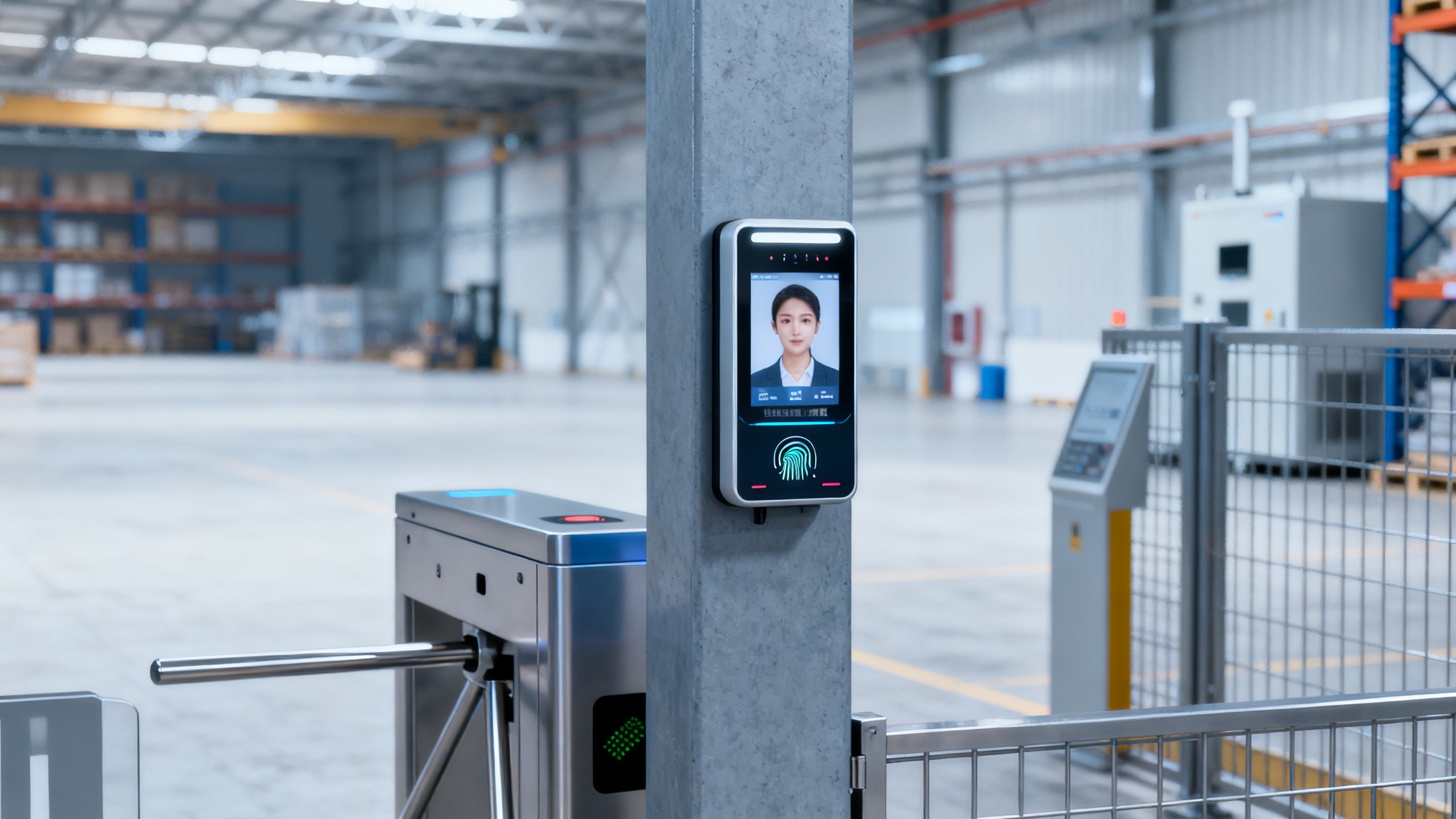
Biometric time attendance is often promoted as a smarter way to control workforce access, improve payroll accuracy, and reduce buddy punching—but is it really easy to manage in industrial and commercial environments? For buyers, operators, and decision-makers comparing security and automation systems, understanding setup, integration, compliance, and long-term maintenance is essential before investing.
In practice, the answer is not simply yes or no. A biometric time attendance system can be easy to manage when the deployment matches the site conditions, labor structure, compliance obligations, and IT capacity of the organization. It becomes difficult when companies underestimate enrollment quality, environmental interference, software integration, or support demands across multiple shifts and locations.
For industrial facilities, warehouses, EPC project sites, commercial buildings, and manufacturing plants, the real question is not whether biometrics are advanced. The question is whether the system can deliver stable recognition, clean attendance records, and low administrative burden over 12–36 months of daily use. That is where selection and management discipline matter most.
This article examines what makes biometric time attendance manageable, where complexity usually appears, how procurement teams should compare options, and what operators can do to keep the system reliable after go-live.
What biometric time attendance really involves
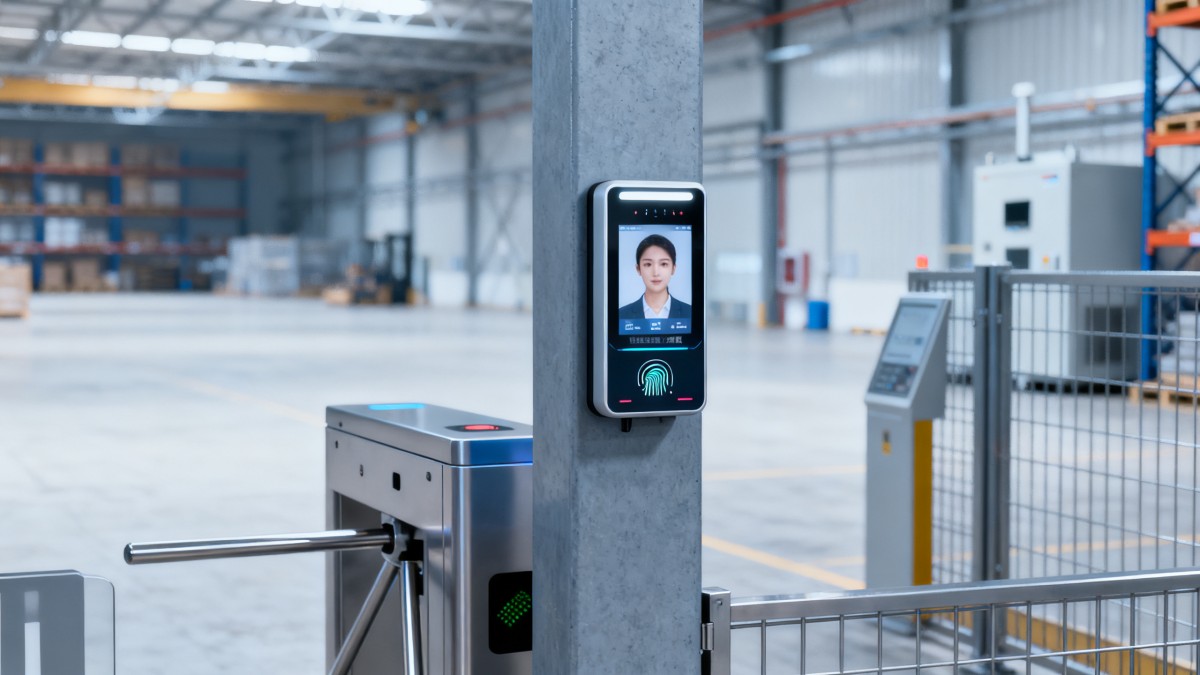
Biometric time attendance uses a person’s physical or behavioral identifier to record clock-in and clock-out events. In most business and industrial settings, the common methods are fingerprint, facial recognition, palm vein, and, less frequently, iris recognition. The goal is straightforward: one worker, one verified attendance record, one auditable data trail.
Management becomes easier when companies understand that attendance hardware is only one layer of the system. A workable deployment usually includes 4 parts: biometric terminals, enrollment procedures, attendance software, and integration with payroll, HR, access control, or ERP systems. If any one of these 4 layers is weak, daily operation becomes more labor-intensive than expected.
Industrial environments add extra variables. Workers may wear gloves, helmets, masks, goggles, or face shields. Surfaces may be dusty, oily, humid, or exposed to outdoor temperature swings from 0°C to 45°C. A system that performs well in an office lobby may struggle at a fabrication yard gate or a warehouse loading zone.
That is why “easy to manage” should be judged by 5 operational outcomes: enrollment speed, recognition accuracy, exception handling, software integration, and maintenance frequency. If the system supports high-volume shift changes in 10–20 minutes and keeps manual corrections below a reasonable threshold, it is usually manageable. If supervisors spend hours fixing missed punches every week, it is not.
Typical biometric methods and operational fit
Different biometric modes create different management workloads. Fingerprint can be cost-effective, but performance may drop when fingers are dirty, wet, worn, or damaged. Facial recognition reduces touchpoints and often improves throughput, yet lighting, PPE, and camera angle become important. Palm vein and iris solutions can offer strong accuracy, but costs and setup requirements are usually higher.
For sites with 100–500 staff and 2 or 3 shifts, the best choice is often the one that minimizes exception handling rather than the one with the lowest hardware price. A lower-cost terminal that creates 30 daily attendance corrections may cost more over a year than a better-suited device with fewer interventions.
Core factors that affect ease of management
- Enrollment quality: poor initial capture leads to repeated failed matches later.
- Environmental tolerance: dust, sunlight, moisture, and vibration affect terminal stability.
- User behavior: rushed punching during shift changes increases recognition errors.
- Software logic: overtime rules, grace periods, and multi-site schedules must be configurable.
- Support model: firmware updates, backup, and spare parts availability reduce downtime risk.
Where management becomes easy—and where it becomes difficult
Biometric time attendance is easiest to manage in controlled environments with stable staffing patterns. Examples include office towers, educational campuses, healthcare administration areas, and light industrial workshops where worker identities are stable, terminal placement is sheltered, and attendance policies are standardized. In these environments, a site may complete enrollment within 1–3 days and operate with very few manual edits per pay cycle.
The system becomes harder to manage in heavy-duty or mixed-use environments. Construction sites, steel processing lines, logistics hubs, and large manufacturing plants often have rotating contractors, seasonal workers, PPE-heavy workflows, and multiple entry points. These conditions increase the number of enrollment updates, failed verifications, and exception reports that supervisors must process.
A common mistake is treating attendance as a standalone device purchase. In reality, 60%–80% of management issues usually come from process design rather than hardware failure. Shift rules, late tolerance windows, supervisor approvals, visitor handling, and temporary badge policies all need to be aligned before installation.
Another source of complexity is user volume at peak hours. If 200 workers must clock in within 15 minutes, throughput matters. A system that verifies one person in 1 second may work well, while one that takes 3–5 seconds under poor lighting can create queues, disputes, and missed attendance events. Ease of management is therefore closely linked to traffic flow planning, not just recognition technology.
Common site conditions and likely management burden
The table below shows how site conditions influence day-to-day administration. It is not a brand ranking but a practical framework for evaluating workload after deployment.
The key takeaway is that complexity usually rises with environmental exposure, workforce variability, and site scale. Systems become easier to manage when the organization defines attendance rules early and matches the biometric method to actual operating conditions instead of showroom conditions.
Signs a system may become difficult after purchase
- No clear plan for integrating attendance data with payroll or HR within the first 2–4 weeks.
- Only one biometric mode is offered, even though workers use gloves or PPE daily.
- No stated maintenance schedule for sensors, cameras, firmware, and local backups.
- Attendance policy exceptions are handled manually by email or spreadsheet only.
- The supplier cannot explain offline operation during network interruptions of 2–8 hours.
How buyers should evaluate biometric attendance before procurement
For procurement teams and decision-makers, managing biometric time attendance starts before the purchase order is issued. A strong evaluation process should test not only device specifications, but also software flexibility, data handling, user throughput, and post-installation support. In B2B settings, the lowest upfront cost rarely reflects the lowest operating cost over 24 months.
A practical procurement review should examine at least 6 dimensions: biometric method, environmental suitability, attendance rule engine, integration capability, user capacity, and service response. For example, if a site has 800 employees, 3 shifts, and 6 access points, user capacity and synchronization reliability matter much more than cosmetic interface features.
It is also important to ask how the system handles failed matches, duplicate identities, network outages, and role-based approvals. Good systems support local storage, audit logs, export formats, and configurable exception reports. These functions reduce admin time during payroll closing periods, especially when HR teams must verify attendance within 1–2 business days.
Data governance is another major procurement point. Biometric information is sensitive by nature, so buyers should confirm where templates are stored, how data is encrypted, how long records are retained, and who can access them. In multinational or regulated operations, legal review may be necessary before full deployment.
Procurement comparison checklist
The following matrix can help buyers compare options in a more disciplined way across industrial and commercial use cases.
When comparing proposals, buyers should score each factor against actual site requirements, not vendor marketing claims. A simple 1–5 weighted scorecard often reveals hidden weaknesses quickly. This is especially useful when procurement must balance operations, HR, IT, and security priorities in one project.
Questions to ask suppliers before approval
- How many users and attendance logs can each terminal store before synchronization is required?
- What is the recommended cleaning and inspection interval—daily, weekly, or monthly?
- Can the system continue operating offline for at least 24 hours without data loss?
- What is the normal implementation timeline: 7 days, 14 days, or longer for multi-site rollouts?
- How are biometric templates protected, exported, deleted, and audited?
- What support response time applies during payroll cutoff periods or shift-critical failures?
Implementation, integration, and daily management workflow
Even a well-chosen system can become difficult if implementation is rushed. Most manageable deployments follow a structured sequence: site survey, policy mapping, terminal placement, enrollment, software configuration, integration testing, training, and pilot validation. For a single facility, this may take 1–3 weeks. For multi-site operations, 4–8 weeks is more realistic depending on network readiness and approval cycles.
Terminal placement deserves more attention than many buyers expect. Positioning devices at the wrong height, near direct sunlight, in a narrow gate lane, or too close to heavy vibration can reduce recognition quality and increase queues. A small installation mistake can create a permanent management issue, especially during shift changes with 50–100 users arriving within a short window.
Integration is where long-term value is won or lost. If biometric attendance data must be manually exported, cleaned, and uploaded into payroll every cycle, administrative effort remains high. A better setup connects attendance rules with payroll categories, overtime logic, break policies, and supervisor approvals so the system can automate most routine calculations.
Daily management should focus on preventive controls rather than reactive corrections. That means monitoring failed recognition events, validating time sync, reviewing exception reports, and maintaining backup routines. In many operations, a 15-minute daily check and a 30–60 minute weekly review are enough to keep the system stable if the original deployment was done correctly.
A practical rollout model
- Phase 1: Site assessment and policy review for 3–5 working days.
- Phase 2: Hardware installation and software setup over 2–7 days.
- Phase 3: Enrollment and pilot testing with one department or one shift first.
- Phase 4: Integration validation with payroll, HR, or access control.
- Phase 5: Full launch with admin training and a 2-week monitoring period.
Typical responsibilities by team
The next table helps clarify who should own which part of deployment and operation. Clear ownership is one of the fastest ways to keep biometric time attendance easy to manage.
When responsibilities are split clearly, the system stops being “an HR device” or “an IT tool” and becomes a coordinated operational platform. That shift alone often reduces deployment friction and speeds up issue resolution.
Maintenance, compliance, and long-term performance
Long-term manageability depends on routine maintenance and disciplined governance. Biometric terminals are not usually high-maintenance assets, but they do require scheduled care. Sensors and camera lenses may need weekly cleaning in dusty environments, while software logs, sync status, and backup jobs should be checked at least once per week. Firmware reviews every 3–6 months are also common in structured deployments.
Compliance is equally important. Since biometric data is sensitive, companies should define consent practices, retention periods, deletion procedures, and access permissions before rollout. In many organizations, only 2–3 admin roles should have elevated access to enrollment or template management. Audit trails should be enabled so changes can be traced during disputes or internal reviews.
Another long-term factor is user change. As staff turnover, subcontractor rotations, or role transfers increase, old identities and inactive records can accumulate. A simple monthly cleanup routine helps prevent duplicate enrollment, outdated permissions, and unnecessary software clutter. This matters especially in project-based industries where workforce composition may shift every 30–90 days.
Companies should also plan for fallback procedures. No attendance system is immune to network loss, power interruption, or sensor issues. A manageable setup includes offline log storage, battery or UPS support where needed, and a documented manual override process for exceptional cases. The goal is not to eliminate every disruption, but to ensure that one disruption does not create a payroll crisis.
Common long-term mistakes
- Skipping periodic re-enrollment for users whose biometric patterns or PPE use has changed.
- Leaving exception reports unchecked until payroll week, creating a correction backlog.
- Granting too many admin rights, which weakens accountability and raises data risk.
- Assuming one biometric mode will suit all departments despite different workflow conditions.
- Ignoring spare parts and support planning for terminals installed in high-traffic areas.
FAQ for buyers and operators
Is biometric time attendance suitable for all industries?
Not always in the same form. Office, healthcare administration, education, logistics, and manufacturing can all use biometric attendance, but the best modality differs by environment. A clean office may use facial recognition effectively, while a heavy workshop may need multi-modal verification because gloves, grease, or protective gear affect usability.
How long does implementation usually take?
A single-site deployment may take 1–3 weeks including survey, configuration, and pilot testing. Multi-site or integrated projects can take 4–8 weeks, especially when payroll interfaces, approval workflows, and legal reviews are involved.
What should operators watch every day?
Operators should review failed verifications, terminal connectivity, time synchronization, and unusual exception counts. If these 4 indicators remain stable, the system is usually under control. A short daily review is much more effective than waiting for month-end corrections.
Can biometric attendance reduce payroll disputes?
Yes, when attendance rules are configured correctly and the recognition method fits the site. The system can reduce buddy punching and improve traceability, but only if exception handling, supervisor approvals, and payroll mapping are properly defined from the start.
Biometric time attendance can be easy to manage, but only when it is approached as an operational system rather than a simple clocking device. The right biometric method, sound implementation, realistic throughput planning, clear ownership, and disciplined maintenance all determine whether the system saves labor or creates more admin work.
For information researchers, users, procurement teams, and business leaders, the best investment is one that fits the environment, integrates with core workflows, and remains reliable over the full lifecycle. If you are comparing biometric attendance solutions for industrial or commercial use, now is the right time to evaluate site conditions, compliance needs, and integration priorities in detail.
To explore a more practical sourcing and deployment path, contact Global Industrial Core for tailored guidance, solution comparisons, and deeper insight into workforce control, security integration, and resilient operational infrastructure.
Technical Specifications
- Steel Dynamics Reports Q3 2026 Results: Record Shipments and Strong EarningsAuthor :
- Vetting a Fall Protection Harness Supplier: Test Reports and TraceabilityAuthor :Safety Compliance Lead
- Air Handling Unit Supplier Checklist: Performance Data, Lead Times, and SupportAuthor :Environmental Engineering Director
Expert Insights

Chief Security Architect
Dr. Thorne specializes in the intersection of structural engineering and digital resilience. He has advised three G7 governments on industrial infrastructure security.
Related Analysis
- Oct 20, 2026Steel Dynamics Reports Q3 2026 Results: Record Shipments and Strong EarningsAuthor :
- Oct 20, 2026Vetting a Fall Protection Harness Supplier: Test Reports and TraceabilityAuthor :Safety Compliance Lead
- Oct 19, 2026Air Handling Unit Supplier Checklist: Performance Data, Lead Times, and SupportAuthor :Environmental Engineering Director
Core Sector // 01
Security & Safety
- How to Build an Equipment Budget for EPC Projects Without Underestimating Lifecycle CostsAuthor :Safety Compliance Lead

- Selecting EPC Procurement Support Tools to Reduce Vendor and Delivery DelaysAuthor :Safety Compliance Lead

- How to Select an Access Control Management System for Multi-Site FacilitiesAuthor :Safety Compliance Lead

- How to Select Electronic Hotel Key Card Locks for Guest Rooms and Staff AreasAuthor :Safety Compliance Lead

- How to Evaluate a Hotel Key Card Lock Supplier for Multi-Property RolloutsAuthor :Safety Compliance Lead

- Pre-Contract Audit Checklist for Verified Production Safety and Environmental ComplianceAuthor :Safety Compliance Lead

- How Can Distributors Build Procurement-Oriented Industrial Content That Drives RFQs?Author :Safety Compliance Lead

- EU Mandates EN 50131-1:2026 for Security SystemsAuthor :Safety Compliance Lead