Keypad Smart Door Lock Buying Guide: PIN Access, Power Backup, and Installation Types
Author
Date Published
Reading Time
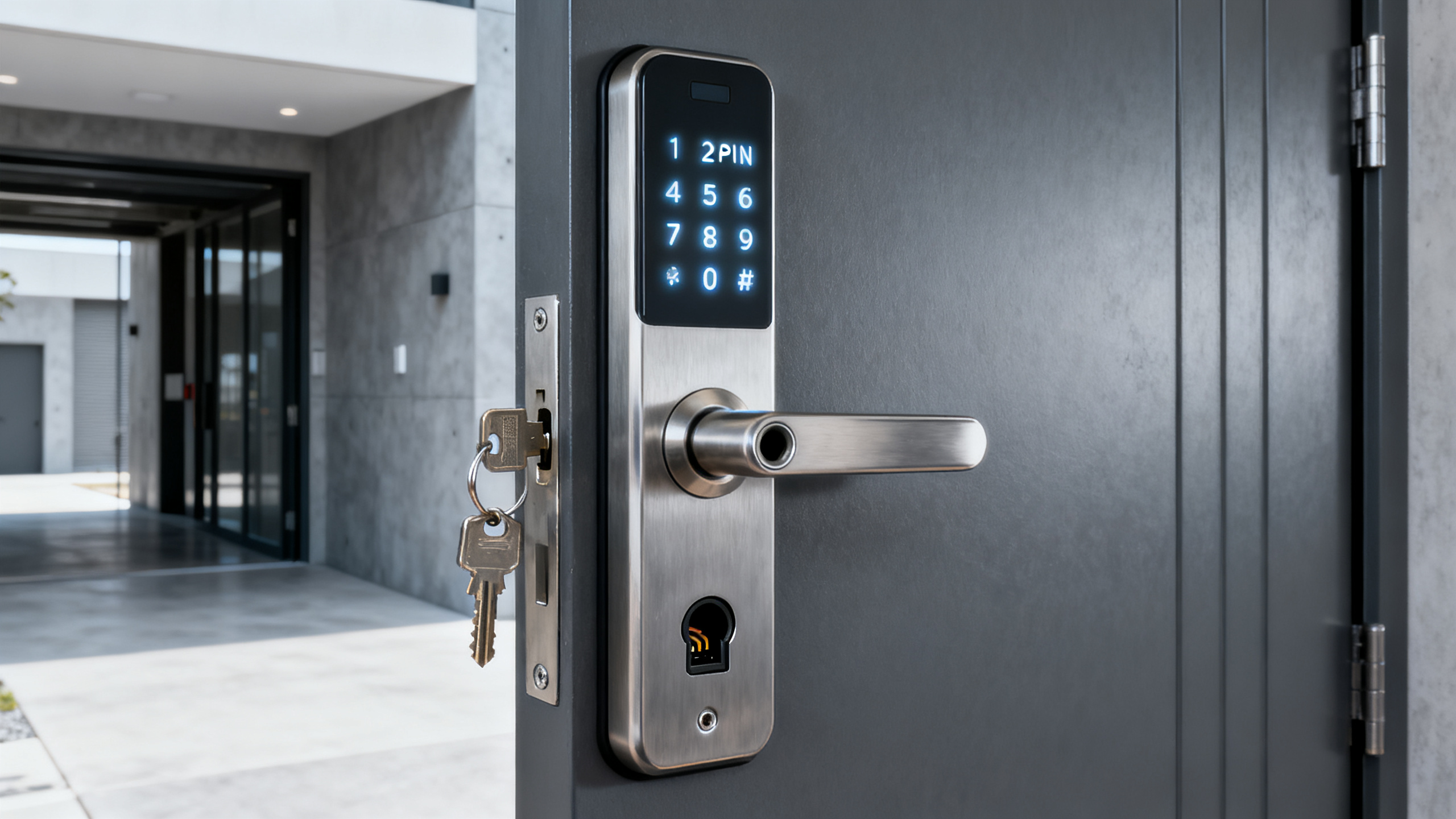
A keypad smart door lock looks simple at first glance: enter a code, open the door, and skip the key. The real buying decision is broader. PIN access quality, emergency power backup, door compatibility, and installation type all affect safety, convenience, and long-term value.
That is why this category now matters beyond gadget appeal. Across homes, rental properties, and light commercial spaces, access control is becoming part of everyday infrastructure. The same practical lens seen in security and safety analysis at Global Industrial Core also applies here: reliability matters more than novelty.
Why this category deserves closer attention
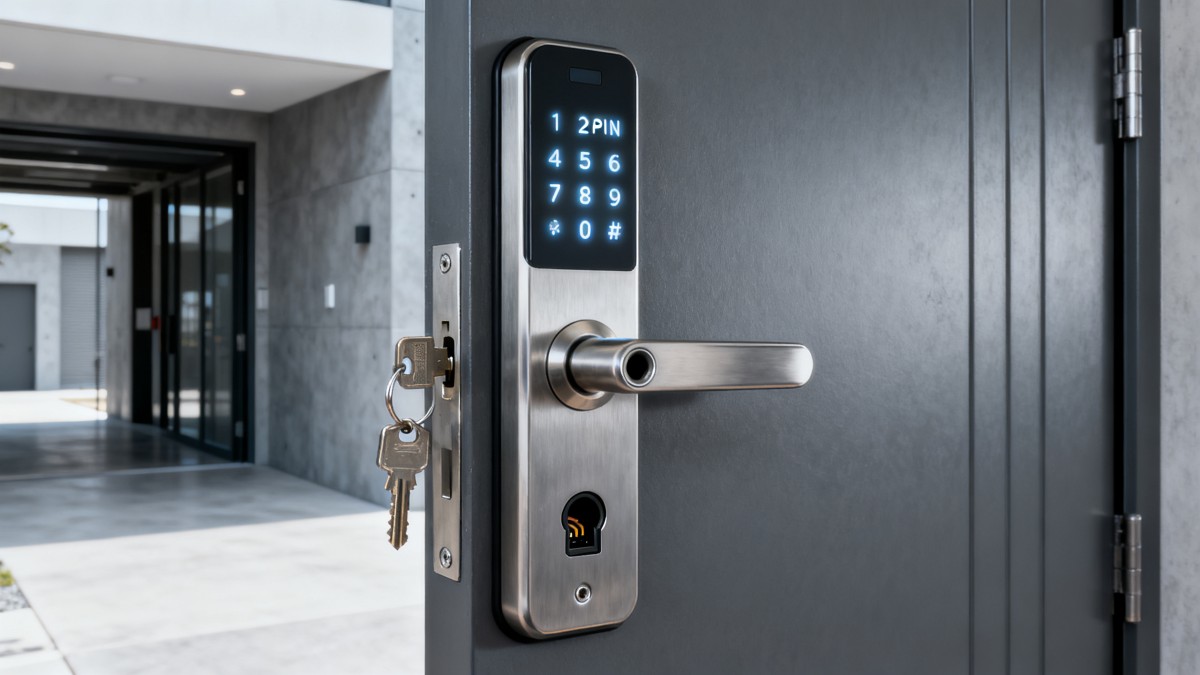
A keypad smart door lock sits at the intersection of physical security, electronics, and daily behavior. It is not only about unlocking a door faster. It changes how access is granted, monitored, and recovered when something goes wrong.
In many properties, the old pain points are familiar. Keys get lost. Spare copies circulate too widely. Temporary visitors need access for a short period. Night entry can be awkward. A code-based lock addresses these issues, but only when the lock is chosen with the door and use pattern in mind.
The market has also matured. Better models now offer weather resistance, anti-peep code entry, low-battery alerts, and backup power options. That means buyers can judge products on measurable functions instead of marketing language alone.
What a keypad smart door lock actually includes
Not every keypad lock is equally smart, and not every smart lock is keypad-first. Some models rely mainly on app control and treat the keypad as a secondary feature. Others are built around PIN access and use wireless features only as an added layer.
A strong keypad smart door lock usually combines several elements:
- A physical locking mechanism such as a deadbolt or latch system.
- A keypad with durable buttons or a touch interface.
- User code management for permanent, temporary, or one-time access.
- Battery power with alerts before full discharge.
- A fallback method such as a key override or emergency external power.
Some units also add Wi-Fi, Bluetooth, fingerprint scanning, or integration with broader smart home systems. Those extras can be useful, but they should not distract from the basics. A lock that connects to everything but struggles with door alignment is the wrong lock.
PIN access is more than a convenience feature
For many buyers, PIN entry is the main reason to choose this category. It removes the need to carry a key, and it allows controlled sharing without cutting new copies. Still, keypad quality varies a lot between entry-level and better-built models.
A good PIN system should support multiple users without becoming difficult to manage. It should also make daily use intuitive. Backlit keys, fast response time, and clear audio or visual confirmation matter more than they seem on a product page.
Security details also deserve attention. Better keypad smart door lock designs include wrong-code lockout, randomized number display, or anti-peep entry. These reduce the chance of code guessing or shoulder surfing, especially in shared buildings or busy corridors.
Code length matters too. A four-digit code may be enough for low-risk use, but longer code options offer more flexibility. What matters most is whether the lock makes secure code management practical instead of annoying.
Useful questions to ask about PIN access
- How many user codes can the lock store?
- Can temporary codes expire automatically?
- Is the keypad easy to use in rain, darkness, or gloves?
- Does the system lock out repeated failed attempts?
- Can codes be changed quickly after a move or guest stay?
Power backup can decide whether the lock is truly dependable
Battery anxiety is one of the biggest reasons people hesitate. That concern is fair. A keypad smart door lock is only convenient when loss of power does not create a serious access problem.
Most models use AA batteries or a rechargeable internal pack. Under normal conditions, battery life can range from several months to more than a year. Actual performance depends on climate, lock motor efficiency, traffic volume, and whether wireless features run continuously.
The critical detail is not just battery life. It is the backup plan. Some locks provide a concealed mechanical key. Others use a 9V contact point or USB emergency power input on the exterior. Both approaches can work, but buyers should understand the tradeoff.
Low-battery warning quality is equally important. The best lock gives repeated alerts well before shutdown. A late warning creates unnecessary risk and turns a preventable maintenance task into an access event.
Installation type shapes the whole purchase
Many returns happen because the lock looked right online but did not match the door. Installation type should be checked before comparing finishes, apps, or keypad design.
Most keypad smart door lock products fall into a few practical categories. Some replace an existing deadbolt. Some replace the handle set. Others retrofit the interior side only, leaving the outside hardware mostly unchanged.
Common installation paths
- Deadbolt replacement: often the easiest option for standard residential doors.
- Lever or handle lock replacement: useful when latch and handle are integrated.
- Mortise lock replacement: common in some apartments and commercial doors, but less standardized.
- Retrofit interior unit: keeps the exterior look while motorizing the lock from inside.
Before buying, check backset, bore hole size, door thickness, handing, strike plate alignment, and outdoor exposure. A keypad smart door lock can fail in daily use simply because the bolt binds against the frame.
This is where an infrastructure mindset helps. GIC often frames security hardware in terms of operational fit, not isolated features. The same principle applies at home: the best device is the one that works reliably with the physical environment you already have.
How use scenarios change the best choice
Not every door needs the same lock. A front entry, a side gate door, and a short-stay rental entrance create different demands. That affects which keypad smart door lock features are worth paying for.
For a primary home entrance, weather sealing, quiet operation, and dependable battery alerts matter a lot. For a rental setting, easy code creation and deletion may matter more. For interior office or storage access, audit trails and user limits can become more important than decorative finish.
Convenience should also be measured honestly. Touchscreen keypads can look sleek, but physical buttons may be easier in cold weather or with wet hands. App control sounds useful, but some people mainly want a keypad smart door lock that works well without relying on a phone.
Features worth paying for and features that can wait
A higher price does not always mean a better fit. The value of a keypad smart door lock depends on whether its features improve real use, reduce risk, or make maintenance easier.
Usually worth prioritizing:
- Reliable keypad response and clear low-battery warnings.
- A proven backup entry method.
- Certification or testing signals aligned with safety expectations.
- Good weather resistance for exposed doors.
- Straightforward installation support.
Features to assess more carefully:
- Always-on Wi-Fi, which can shorten battery life.
- Complex smart home integrations you may never use.
- Biometric features that add cost without replacing keypad needs.
- Style-driven designs that compromise button visibility.
A practical way to compare options before buying
Start with the door, not the product page. Measure the hardware layout, confirm whether the door faces weather, and note how many people need access. That will narrow the field quickly.
Then compare each keypad smart door lock across four decision points: code management, power backup, installation fit, and maintenance burden. Reviews can help, but the useful ones describe long-term use, not only first-day setup.
It also helps to keep expectations realistic. A smart lock is still a lock. Build quality, motor consistency, and door alignment will matter every day. Extra connectivity matters only after those fundamentals are right.
The strongest next step is simple: write down your door type, exposure conditions, preferred backup method, and how often access codes will change. With that shortlist in hand, comparing any keypad smart door lock becomes faster, clearer, and far less likely to end in an expensive mismatch.
Technical Specifications
- Air Handling Unit Supplier Checklist: Performance Data, Lead Times, and SupportAuthor :Environmental Engineering Director
- Buying Fiberglass Water Tanks Wholesale: Compare Quotes and Delivery CostsAuthor :Environmental Engineering Director
- Choosing an XLPE Power Cable Supplier: Test Reports, Traceability, and Lead TimesAuthor :Grid Infrastructure Analyst
Expert Insights

Chief Security Architect
Dr. Thorne specializes in the intersection of structural engineering and digital resilience. He has advised three G7 governments on industrial infrastructure security.
Related Analysis
- Oct 19, 2026Air Handling Unit Supplier Checklist: Performance Data, Lead Times, and SupportAuthor :Environmental Engineering Director
- Oct 18, 2026Buying Fiberglass Water Tanks Wholesale: Compare Quotes and Delivery CostsAuthor :Environmental Engineering Director
- Oct 17, 2026Choosing an XLPE Power Cable Supplier: Test Reports, Traceability, and Lead TimesAuthor :Grid Infrastructure Analyst
Core Sector // 01
Security & Safety
- How to Build an Equipment Budget for EPC Projects Without Underestimating Lifecycle CostsAuthor :Safety Compliance Lead

- Selecting EPC Procurement Support Tools to Reduce Vendor and Delivery DelaysAuthor :Safety Compliance Lead

- How to Select an Access Control Management System for Multi-Site FacilitiesAuthor :Safety Compliance Lead

- How to Select Electronic Hotel Key Card Locks for Guest Rooms and Staff AreasAuthor :Safety Compliance Lead

- How to Evaluate a Hotel Key Card Lock Supplier for Multi-Property RolloutsAuthor :Safety Compliance Lead

- Pre-Contract Audit Checklist for Verified Production Safety and Environmental ComplianceAuthor :Safety Compliance Lead

- How Can Distributors Build Procurement-Oriented Industrial Content That Drives RFQs?Author :Safety Compliance Lead

- EU Mandates EN 50131-1:2026 for Security SystemsAuthor :Safety Compliance Lead