Smart Security Alarms for Home: What Features Matter Before You Buy?
Author
Date Published
Reading Time
What should smart security alarms for home actually do?
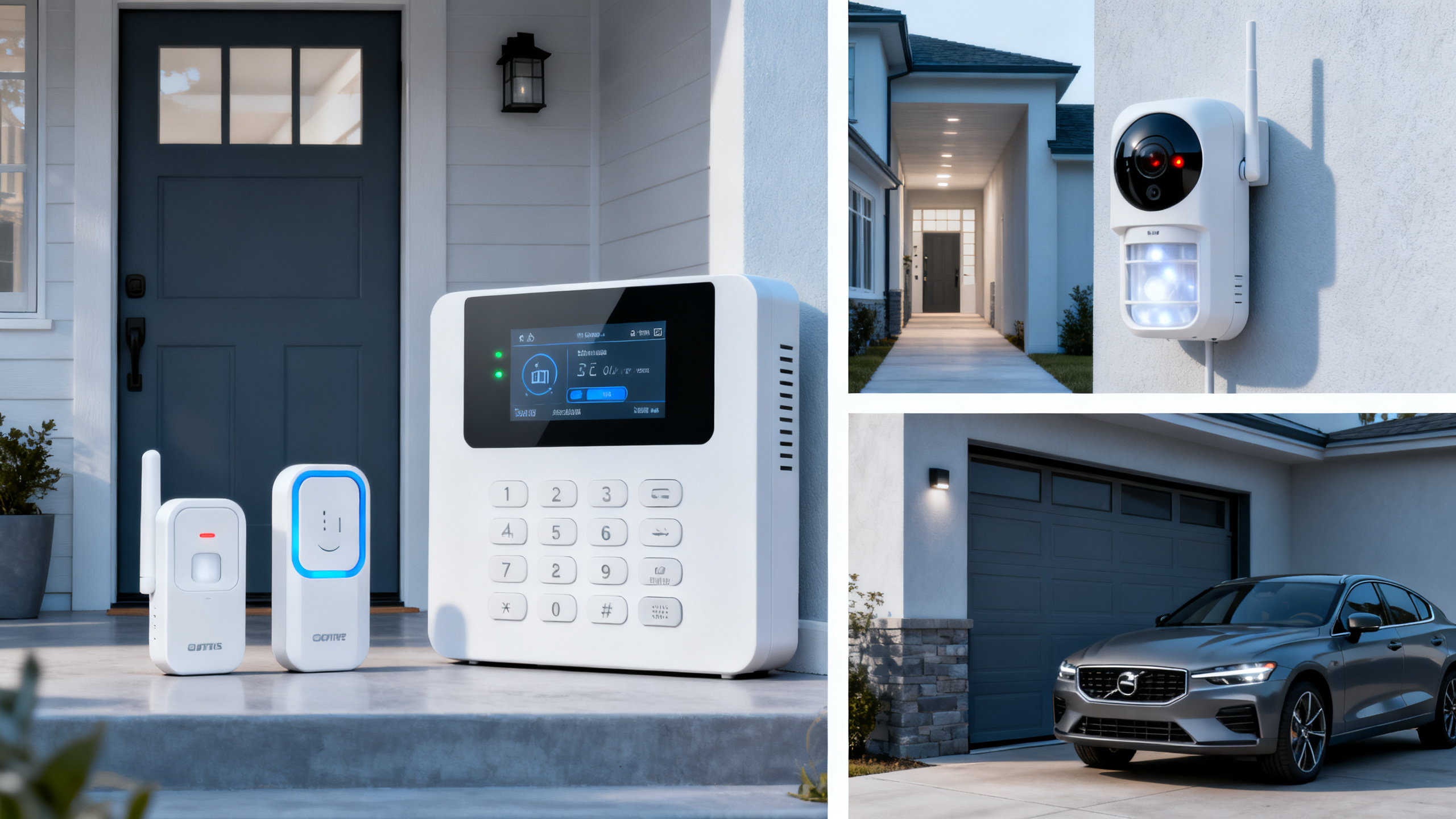
Choosing smart security alarms for home starts with one simple idea: the system should reduce risk, not just add noise.
A loud siren still matters, but modern protection depends on faster awareness, better coverage, and fewer blind spots.
In practice, the best setup warns you early, confirms what triggered the alert, and keeps working during common failures.
That means app control, entry sensors, motion detection, backup power, and dependable wireless communication usually matter more than flashy extras.
This is where smart security alarms for home resemble more serious safety systems reviewed by Global Industrial Core.
Whether the site is a residence or a facility, reliability, standards, and system logic matter more than feature overload.
A good buying decision comes from asking better questions: What are you protecting, how quickly do you need alerts, and what happens if power or internet fails?
Do all homes need the same alarm setup?
Not really. Smart security alarms for home should match the layout, daily routine, and risk level of the property.
A small apartment often needs strong door protection and a compact control system.
A detached house usually needs wider perimeter coverage, backyard monitoring, and better zoning inside the home.
Homes with pets need extra care. Standard motion sensors can create false alarms if sensitivity is not adjusted correctly.
Properties with frequent deliveries may benefit from door, gate, or garage alerts rather than only indoor motion detection.
More common than people think is the need to protect habits, not only doors and windows.
If people arrive home late, travel often, or leave sections unoccupied, remote control and custom arming schedules become more useful.
Before comparing brands, it helps to map your vulnerable points.
- Main entrance and secondary doors
- Ground-floor windows
- Garage access to the house
- Hallways linking bedrooms and entry points
- Areas where valuable items are stored
That simple map usually tells you whether you need a basic kit or a more layered system.
Which features matter most before you buy smart security alarms for home?
This is the point where many buyers get distracted by marketing language.
A better approach is to separate core protection features from convenience features.
The table below helps narrow the decision.
If you are comparing smart security alarms for home, start by scoring these features in order of risk reduction.
For most homes, entry sensors, motion detection, backup battery, and dependable alerts belong at the top.
Voice assistant integration is convenient, but it should not outweigh communication reliability or sensor accuracy.
Self-monitored or professionally monitored: which makes more sense?
This question matters because response style changes the value of the system.
Self-monitored smart security alarms for home send alerts directly to your phone.
That can work well if someone is usually available to react quickly.
Professionally monitored systems add a response layer, which may help during travel, overnight events, or missed notifications.
The trade-off is ongoing cost and, sometimes, contract limits.
A practical way to decide is to think about your real response behavior, not ideal behavior.
- Choose self-monitoring if you want lower monthly cost and can reliably respond to alerts.
- Choose professional monitoring if the home is empty often or missed alerts are a real concern.
- Check whether the plan includes cellular backup, emergency dispatch support, or video verification.
In either case, quick alert delivery matters more than the label attached to the plan.
A poorly configured monitored system can still underperform if sensors are placed badly or users ignore routine maintenance.
What mistakes cause buyers to regret their choice?
Most regret comes from underestimating reliability and overestimating convenience.
One common mistake is buying smart security alarms for home based on app screenshots alone.
A polished app cannot compensate for weak sensors, delayed alerts, or poor battery performance.
Another mistake is skipping standards and safety checks.
Even in home use, certifications such as CE, UL, or related compliance marks can signal better product discipline.
That emphasis on tested performance mirrors how Global Industrial Core evaluates critical systems in broader security and safety environments.
There are also softer issues that affect long-term satisfaction.
- Too many notifications create alert fatigue.
- Too few sensors leave obvious entry points uncovered.
- Complex setup leads to disabled features.
- Weak privacy controls raise concerns about shared data.
- Hidden subscriptions increase total ownership cost.
The smarter choice is often the system that feels predictable after six months, not exciting on day one.
How should you compare cost, installation, and long-term value?
Price alone rarely tells the full story.
With smart security alarms for home, value comes from useful coverage, stable performance, and manageable upkeep.
Some lower-cost kits look attractive until you add extra sensors, cloud storage, monitoring fees, and replacement batteries.
Some premium systems cost more upfront but reduce troubleshooting and false alarms over time.
Installation also deserves attention. DIY systems save money, but only if placement is correct and signal strength is stable.
If the property has thick walls, multiple floors, or detached areas, wireless performance needs extra checking.
A short evaluation checklist helps keep the decision grounded.
- Count the number of entry points before choosing a starter kit.
- Confirm whether backup battery and cellular backup are included or optional.
- Review app ratings for stability, not just design.
- Check whether sensors are easy to replace or expand later.
- Estimate one-year and three-year costs, not just the initial purchase.
If you are unsure between two systems, the better option is usually the one with clearer support, more dependable backup, and easier future expansion.
So, what is the best way to decide before buying?
A strong decision begins with the home itself, not the product page.
List your main entry points, note daily routines, and decide how much response support you actually need.
Then compare smart security alarms for home using a short set of priorities: sensor quality, alert reliability, backup protection, app usability, and total cost.
The most useful systems are not necessarily the ones with the longest feature list.
They are the ones that fit the property, work consistently, and remain easy to trust every day.
If you want to make the choice with fewer surprises, build a simple comparison sheet, verify certifications, and test how the alert workflow would function during a real interruption.
That approach leads to a smarter purchase and a safer home without paying for features you may never use.
Technical Specifications
- How to Select Electronic Hotel Key Card Locks for Guest Rooms and Staff AreasAuthor :Safety Compliance Lead
- How to Select Lab Instruments for Reliable Chemical Analysis WorkflowsAuthor :Precision Metrology Expert
- How to Size a UPS for Server Rooms: Load, Runtime, and Redundancy FactorsAuthor :Grid Infrastructure Analyst
Expert Insights

Chief Security Architect
Dr. Thorne specializes in the intersection of structural engineering and digital resilience. He has advised three G7 governments on industrial infrastructure security.
Related Analysis
- Sep 17, 2026How to Select Electronic Hotel Key Card Locks for Guest Rooms and Staff AreasAuthor :Safety Compliance Lead
- Sep 16, 2026How to Select Lab Instruments for Reliable Chemical Analysis WorkflowsAuthor :Precision Metrology Expert
- Sep 15, 2026How to Size a UPS for Server Rooms: Load, Runtime, and Redundancy FactorsAuthor :Grid Infrastructure Analyst
Core Sector // 01
Security & Safety
- How to Select Electronic Hotel Key Card Locks for Guest Rooms and Staff AreasAuthor :Safety Compliance Lead

- How to Evaluate a Hotel Key Card Lock Supplier for Multi-Property RolloutsAuthor :Safety Compliance Lead

- Pre-Contract Audit Checklist for Verified Production Safety and Environmental ComplianceAuthor :Safety Compliance Lead

- How Can Distributors Build Procurement-Oriented Industrial Content That Drives RFQs?Author :Safety Compliance Lead

- EU Mandates EN 50131-1:2026 for Security SystemsAuthor :Safety Compliance Lead

- EU EN 50131-1:2026 Takes Effect on CCTV ComplianceAuthor :Safety Compliance Lead

- IEC Issues CCTV Interoperability Test StandardAuthor :Safety Compliance Lead

- EN 50131-4:2026 Raises EU Security Compliance BarAuthor :Safety Compliance Lead